Skip to content

Portfolio · Resort groups — holiday membership · Mobile app

A membership measured in nights,and an app that spends them.

A resort group sells holidays as a membership rather than as rooms: a household buys a number of nights a year and spends them across the group's properties. The app is where those nights are held and spent. A member signs in with a phone number and a code, sees the stay they already have before anything they might book, plans the next one against the balance that is left, and carries the whole booking — rooms, party, deposit, check-in state — into the property without a printed voucher.

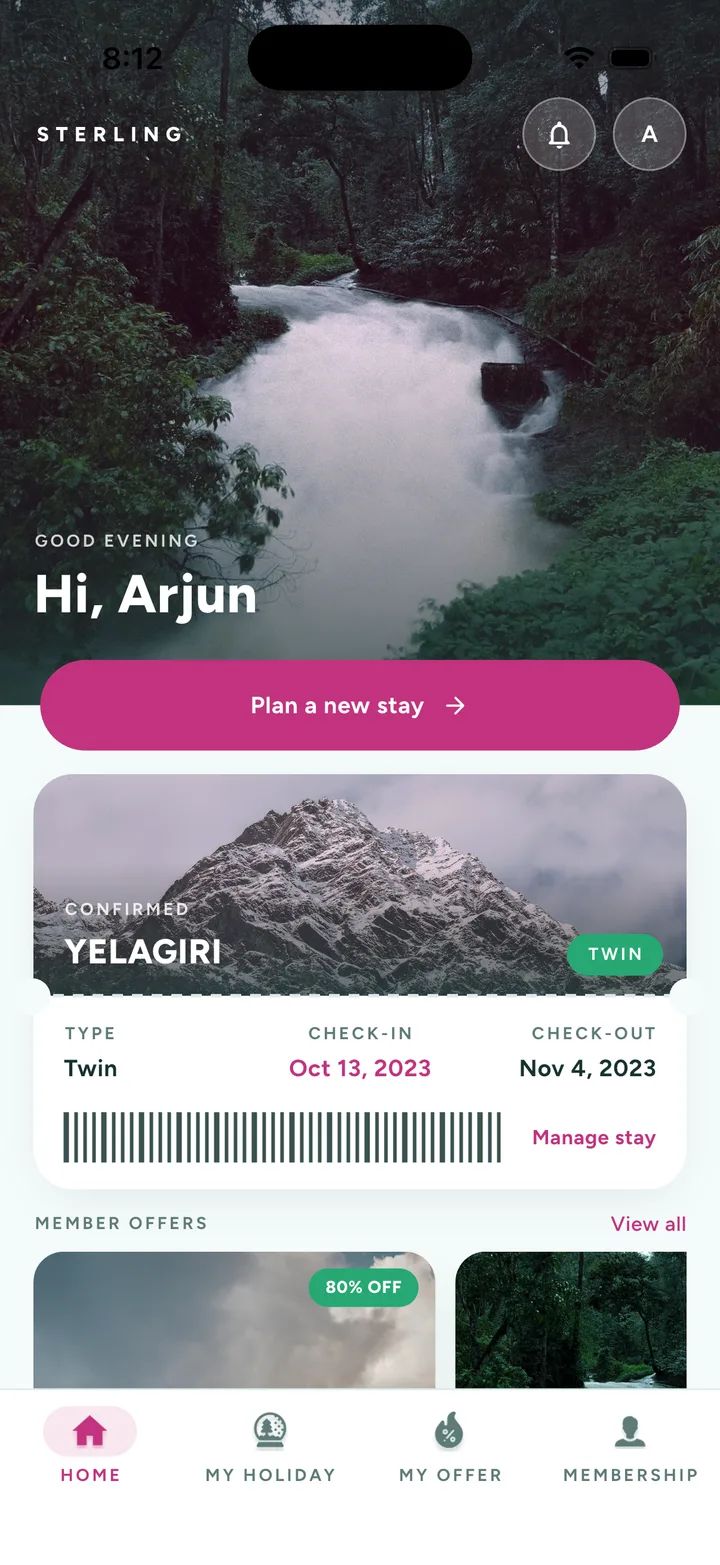
The app home screen: a greeting over a rainforest photograph, a plan-a-new-stay button, the confirmed stay as a pass card with its dates and barcode, and the top of the member offers row above a four-tab bar.
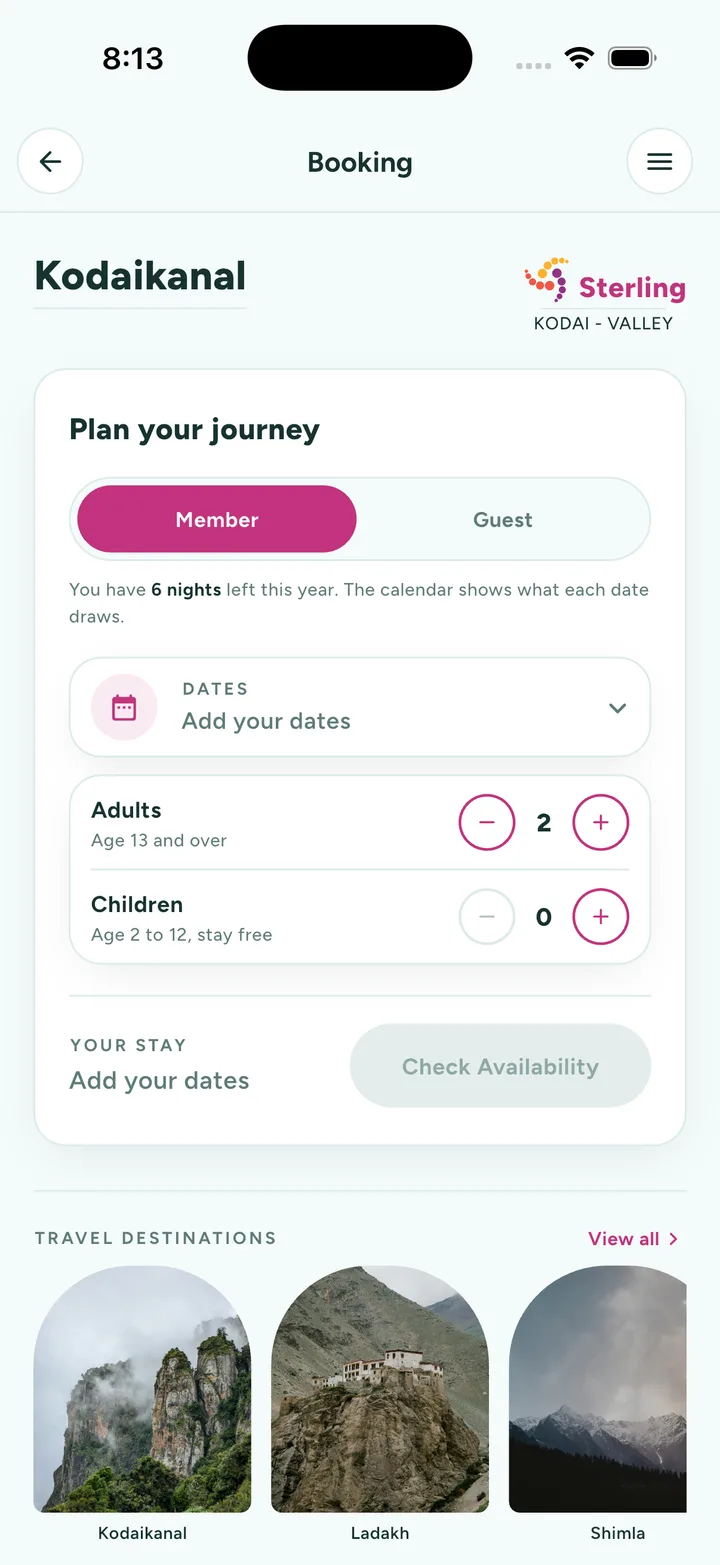
The booking screen: a plan-your-journey card with a member and guest toggle, a line stating the nights remaining this year, a date field, adult and child steppers, and a check-availability button, over a row of travel destinations.
01Sector
Resort groups — holiday membership, several properties
02Surface
One native app; the captures are an iOS build
03Sign-in
A phone number and a six-digit code. No password
04The unit
A night, drawn against the household's year
Act 01/ 043 captures

The way in

A phone number, and six digits.

A membership app has one job before it has any other, which is to let the member back in. Most of them ask for an email and a password — the pair a household shares badly and forgets annually — and a forgotten password on a resort app is not a reset flow, it is a phone call to the desk. This one never issues a password. The number the membership is already filed under is the identity, six digits prove the phone is in the right hand, and the front door is two cards deep with nothing to remember between them.
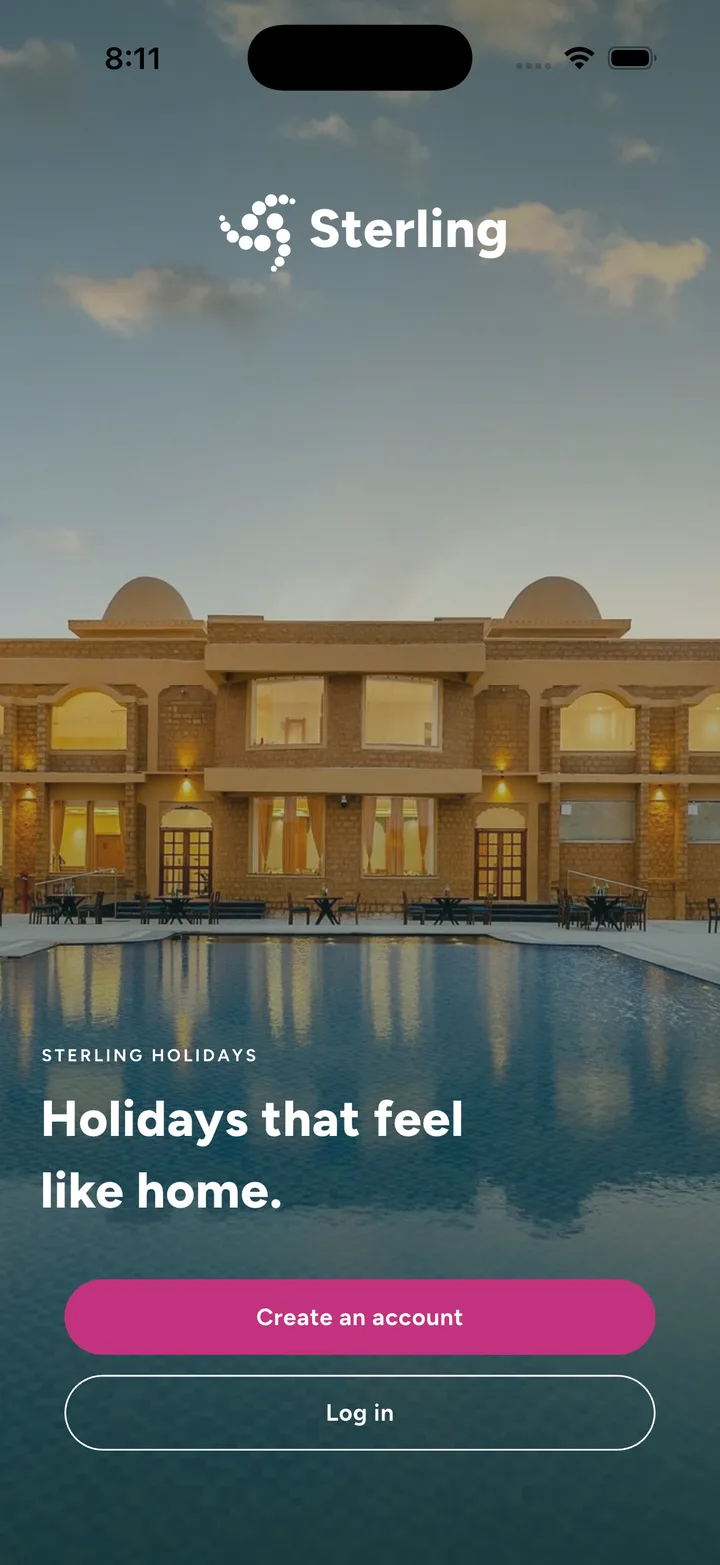
  1. The opening screen: the app wordmark over a lit poolside photograph, one line about the membership, and two buttons — create an account, or log in.
    01The front door: one line about what the membership is, and the two things anybody arrives to do.
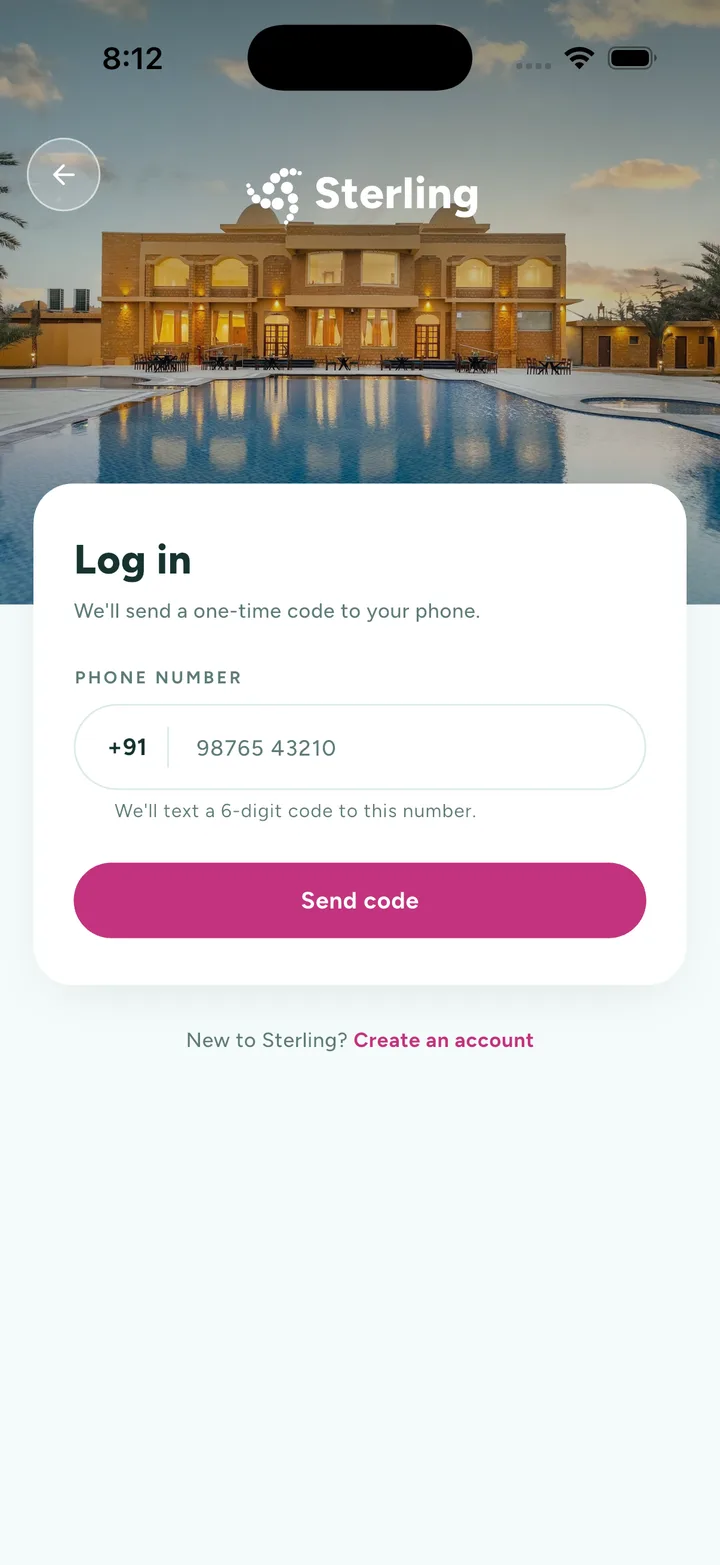
  2. The log-in screen: a card over a resort photograph asking for a phone number behind a country-code field, with a note that a six-digit code will be texted to it.
    02The number the membership is already filed under, and nothing else asked for.
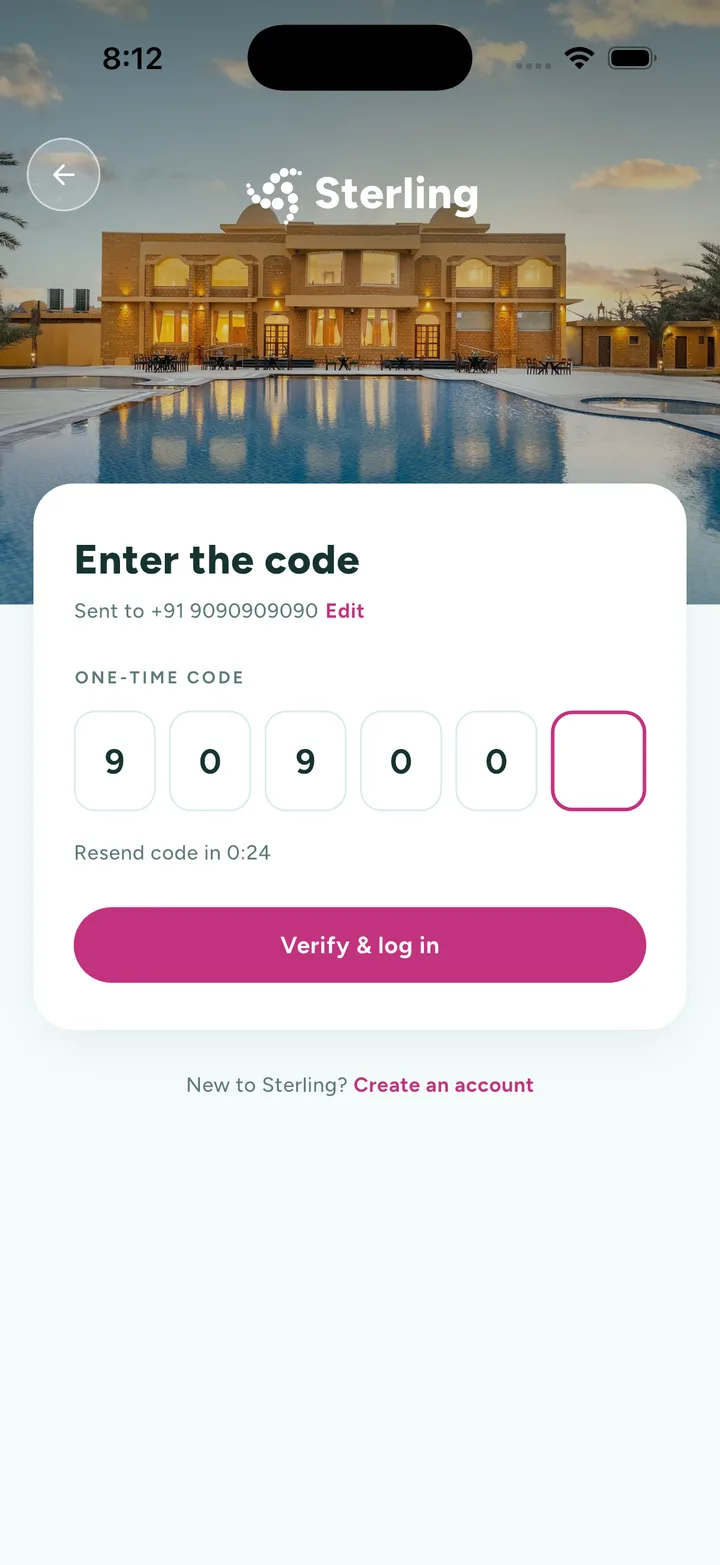
  3. The verification screen: six single-digit boxes, the number the code went to with an edit link beside it, and a resend countdown under them.
    03Six boxes, a countdown, and an Edit that goes back one step rather than to the start.
  1. 01.01

    Nothing new to remember

    The number the membership is already held against is the credential, so there is no second secret for a household to lose.

  2. 01.02

    One card, turned over

    Entering the code never leaves the screen, and Edit corrects a mistyped number without starting the journey again.

  3. 01.03

    A countdown, not a dead end

    Resend runs down in place, so a code that never arrives costs a wait rather than a call to the desk.
Act 02/ 042 captures

The home screen

The stay you have, above the stay you might book.

The first screen answers the question a member actually opens the app with, and it is almost never what is on offer. It is when am I going, and is it still confirmed. So the confirmed stay is a pass — destination, room type, both dates, a barcode and one link to change any of it — sitting directly under the only other thing anybody wants from a home screen, which is a way to start the next one. Offers come after both, because an offer read before the stay is an interruption and an offer read after it is a suggestion.

  1. The app home screen: a greeting over a rainforest photograph, a plan-a-new-stay button, the confirmed stay as a pass card with its dates and barcode, and the top of the member offers row above a four-tab bar.
    01The stay first, the next one second, the offers third — in that order, every time.
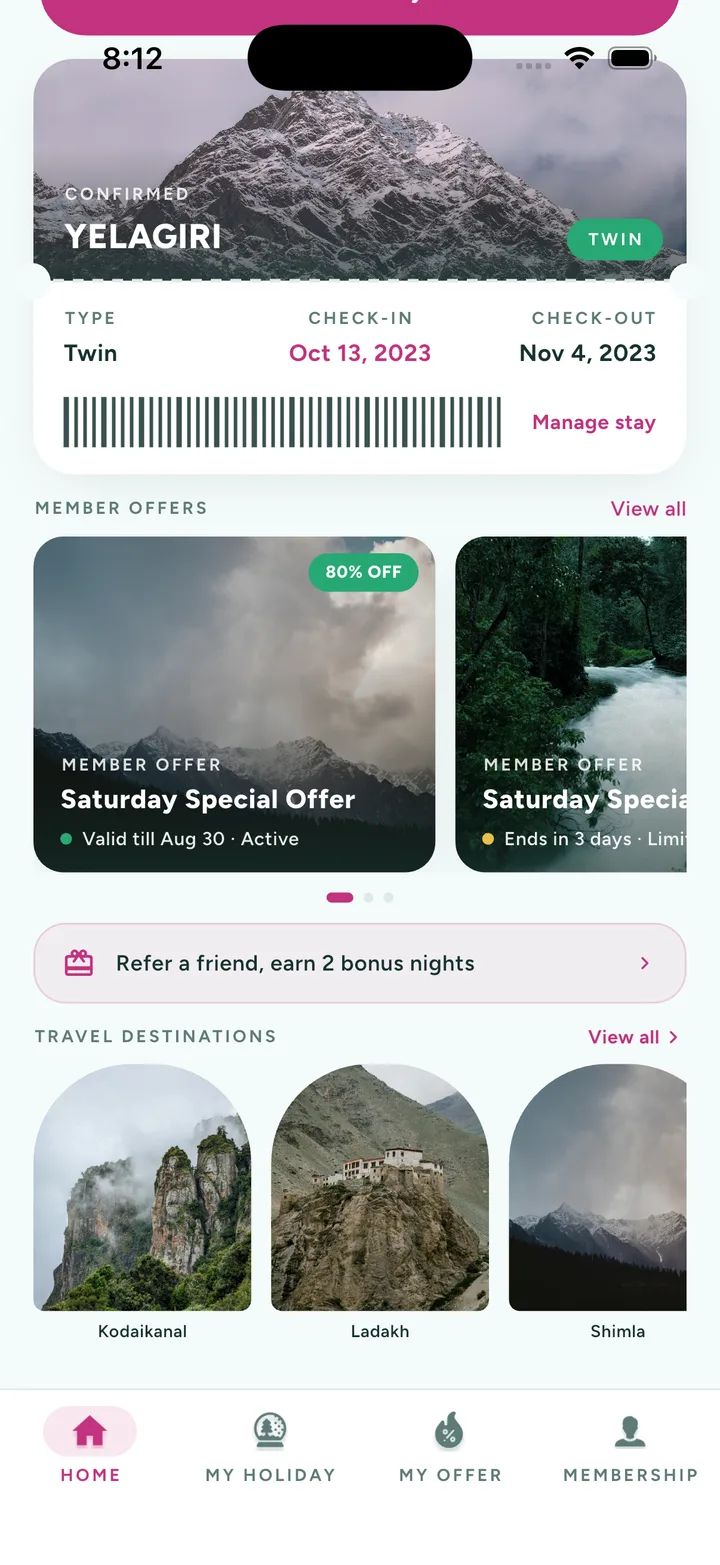
  2. The home screen scrolled to the member offers carousel, a referral banner, and a row of travel destinations under arched photographs.
    02Offers carrying their own clocks, a referral paid in nights, and where the nights could go.
  1. 02.01

    The stay is a pass

    Destination, room type, both dates and a barcode on one card, so arriving does not depend on a printed voucher.

  2. 02.02

    One button starts the next

    Plan a new stay sits above the offers rather than under them, because it is the second thing anybody came for.

  3. 02.03

    The referral pays in nights

    A friend introduced is worth two bonus nights rather than a voucher, because nights are the currency this membership is counted in.

Act 03/ 041 capture

Planning a stay

Member or guest, and what the date draws.

Booking against a membership is not booking against a price, and this is the screen where most systems quietly become two. A member spends nights; a guest pays money; and a household routinely does both in the same week — their own stay on the membership, and a paid room for the relatives arriving on the Friday. So member and guest are a toggle over one form rather than two journeys off a menu, and the balance is printed above the calendar instead of discovered at the end of it: six nights left this year, and a calendar that shows what each date draws before anybody picks one.

  1. The booking screen: a plan-your-journey card with a member and guest toggle, a line stating the nights remaining this year, a date field, adult and child steppers, and a check-availability button, over a row of travel destinations.
    01Member or guest is a toggle, and the balance is printed above the calendar.
  1. 03.01

    One form, two currencies

    Member and guest are a switch over the same dates and the same party, not two booking journeys with two vocabularies.

  2. 03.02

    The balance comes first

    Nights remaining is set above the calendar, so what a date costs is known before it is chosen rather than after.

  3. 03.03

    Children counted, not charged

    Two to twelve stay free and are still counted, because the property needs the heads even where the ledger does not.

Act 04/ 041 capture

The stay itself

Everything the desk holds, in the member's hand.

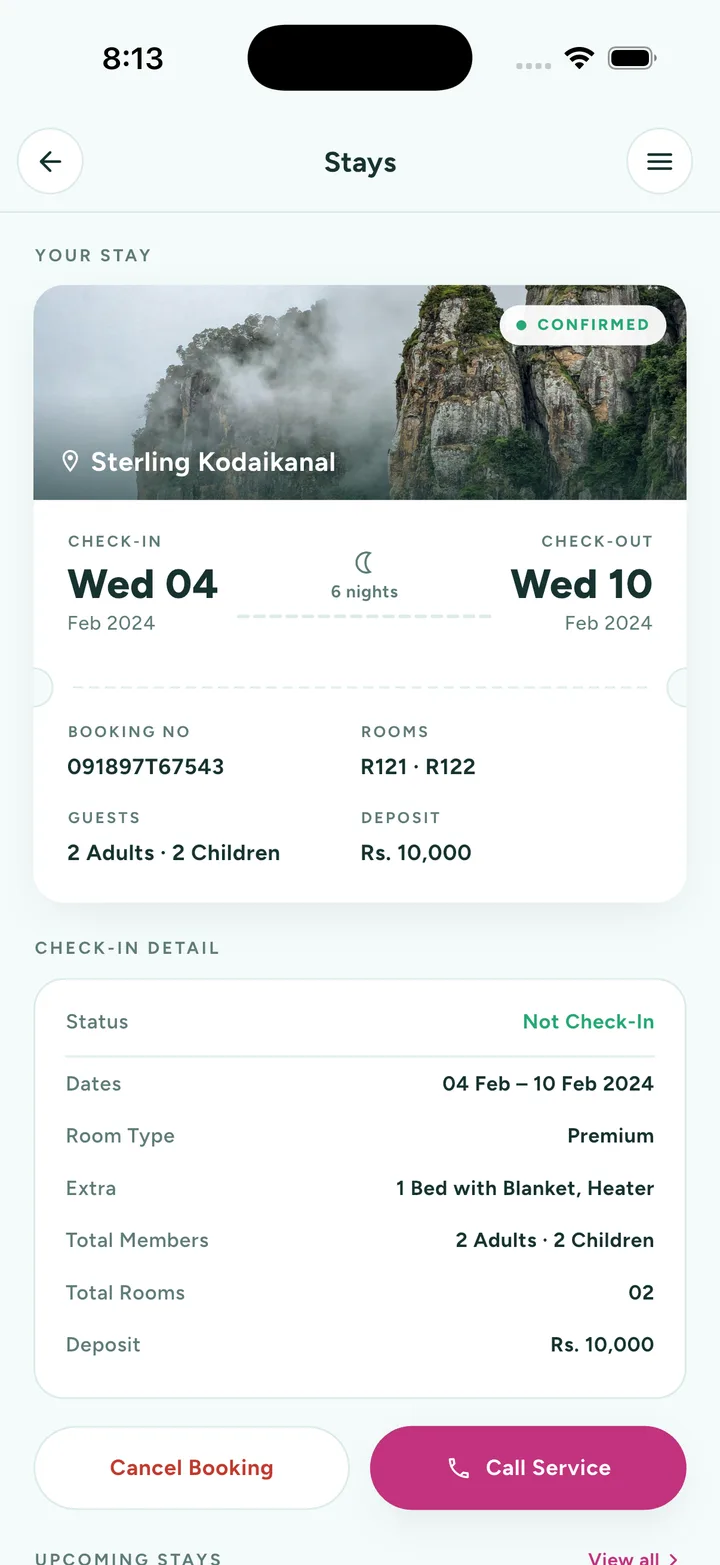
The last screen decides how often anybody rings the resort. A booking a member can only half-see produces a phone call for each half they cannot: which rooms, how many nights, what the deposit was, whether the children were counted, whether check-in has happened yet. So the stay opens all the way — the nights between the two dates, the room numbers, the party, the deposit, and a check-in state that says plainly it has not happened. Under it sit the only two things a member ever does about a stay, and nothing else dressed up as an action.

  1. The stay detail: the property over a cliff photograph with a confirmed chip, check-in and check-out dates with the night count between them, the booking reference, room numbers, party and deposit, a check-in detail table, and cancel and call-service buttons.
    01The whole booking — rooms, party, deposit and check-in state — so the desk is not the only one who knows.
  1. 04.01

    The nights are the headline

    Between the two dates is a count, because a membership is spent in nights rather than read off a calendar.

  2. 04.02

    Check-in has a state

    Not checked in is printed rather than implied, so a member can see what the desk is still waiting on.

  3. 04.03

    Two actions, both real

    Cancel the booking, or call the resort. Everything above them is a fact rather than a button that opens another form.

The last word

This shows how Famysys builds where the product is an entitlement rather than a price: make the unit the thing the member actually holds — a night — print the balance above the calendar instead of under it, and let one screen carry the whole stay so the desk's phone stays quiet. If your members ring you to find out what they have already bought, that screen is where we would start.

Built in

  • Passwordless sign-in
  • One-time codes
  • Member nights
  • Guest booking
  • Availability
  • Stay pass
  • Check-in detail
  • Member offers
  • Referrals
  • Destinations
  • Cancel & support

All projects

Let's build what's next

Technology alone doesn't transform businesses.The right partnership does.

Modernizing systems, building a new product, or exploring AI-driven transformation — Famysys helps you move forward with confidence.

  • SOC2 Type II Compliant
  • Strict Commercial NDA
  • Zero Lock-In Guarantee

Famysys

We Engineer Clarity

Scan to Connect

Instant digital business card & WhatsApp link